




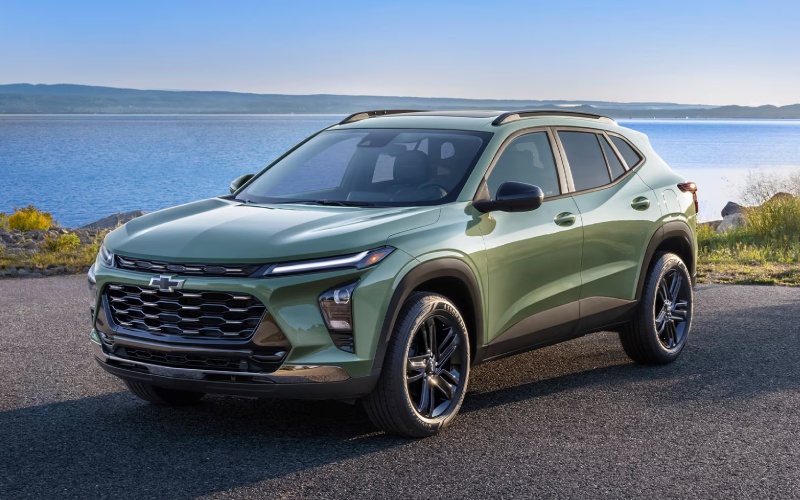
Chevrolet of Bucyrus – How the 11-inch Touchscreen and Wireless Smartphone Integration in the 2026 Chevrolet Trax Streamline Drives around Mansfield, OH
The 2026 Chevrolet Trax brings an approachable, modern interface to your day with an available 11-inch center HD touch-screen and standard wireless Apple CarPlay® and wireless Android Auto™. That means no cables, fewer distractions, and more intuitive control over maps, calls, texts, and streaming — all displayed clearly on a panel that’s easy to see at a glance. For Mansfield, OH area commuters juggling early meetings, school drop-offs, and evening activities, the Trax system reduces clutter and shortens your learning curve. Pair your phone once, then start the engine and go; your playlists and podcasts are ready, and navigation is just a tap away.
Design choices in the Trax help the screen deliver beyond its size. Menus are logically arranged, animations are snappy, and common tasks require fewer steps, so you spend less time poking through submenus. Voice commands layered through your smartphone platform of choice keep your hands on the wheel while you queue up a new route, dictate a quick reply, or adjust audio. Available wireless charging and a built-in Wi-Fi® hotspot can support the constant connectivity modern life demands, while software-friendly updates help keep the experience feeling fresh over time. It’s a clean setup that feels decidedly premium in a small SUV.
- Cable-free convenience: Standard wireless Apple CarPlay® and Android Auto™ eliminate the dongle tangle.
- Clear, quick visuals: The available 11-inch display keeps maps and menus large and legible.
- Voice-first control: Hands-on-the-wheel commands streamline calls, texts, and route changes.
- Power and data: Available wireless charging and built-in Wi-Fi® hotspot help devices stay ready.
- Everyday-friendly layout: Frequently used functions sit near the top level of the interface.
For drivers who split time between city streets and regional roads, this interface can also ease longer stretches. Choose a podcast series and let the Trax’s quiet cabin tuning and intuitive steering-wheel controls do the rest. When you arrive, the system’s quick handoff between audio and phone means you won’t miss a beat as you step into your next meeting. Back out again, and your previous navigation session is still right where you left it.
Frequently Asked Questions:
Do I need a specific cable for Apple CarPlay® or Android Auto™?
No. In the 2026 Trax, both are wireless as standard, so your phone connects automatically after initial setup.
Will wireless features drain my phone battery faster?
Wireless connections do use power, but available wireless charging helps offset it, and USB ports remain on hand when you want a direct top-off.
Can the display handle split-screen views?
The interface is designed to surface multiple functions quickly. You can move between navigation, audio, and phone with minimal taps and clear at-a-glance tiles.
Is the touch-screen responsive with gloves in winter?
Capacitive screens typically respond best to direct touch, but steering-wheel buttons and voice control provide easy alternatives during colder months.
Chevrolet of Bucyrus supports your tech experience from day one with setup guidance, helpful tips, and quick troubleshooting. We’re proud to be serving Marion, Mansfield, and Upper Sandusky with a small SUV that makes everyday drives simpler, clearer, and more connected. When you’re ready, schedule a hands-on session so we can pair your device, personalize your home screen, and show you how to get the most from the Trax interface you’ll rely on every mile.
Request more 2026 Chevrolet Trax information
Connect with us


- March 2026
- February 2026
- January 2026
- December 2025
- November 2025
- October 2025
- September 2025
- August 2025
- July 2025
- June 2025
- May 2025
- April 2025
- March 2025
- February 2025
- January 2025
- May 2024
- April 2024
- March 2024
- February 2024
- January 2024
- December 2023
- November 2023
- October 2023
- September 2023
- August 2023
- July 2023
- June 2023
- May 2023
- April 2023
- March 2023
- February 2023
- January 2023
- December 2022
- November 2022
- October 2022
- September 2022
- August 2022
Archives
- Buick Dealership
- Chevrolet
- Chevrolet Blazer
- Chevrolet BOLT EUV
- Chevrolet Bolt EV
- Chevrolet Camaro
- Chevrolet Colorado
- Chevrolet Corvette
- Chevrolet Corvette Stingray
- Chevrolet Dealer
- Chevrolet Dealership
- Chevrolet Equinox
- Chevrolet Equinox EV
- Chevrolet Malibu
- Chevrolet Parts
- Chevrolet sales event
- Chevrolet Service
- Chevrolet Silverado 1500
- Chevrolet Silverado 2500 HD
- Chevrolet Silverado 3500 HD
- Chevrolet Silverado EV
- Chevrolet Silverado HD
- Chevrolet Suburban
- Chevrolet Tahoe
- Chevrolet Tires
- Chevrolet Trailblazer
- Chevrolet Traverse
- Chevrolet Trax
- Chevy sales event
- Genuine Chevrolet parts
- Uncategorized
- used GMC Sierra 1500
- used vehicles