



Chevrolet of Bucyrus – How the 2026 Corvette Performance Displays Make Track Days Easier around Mansfield, OH
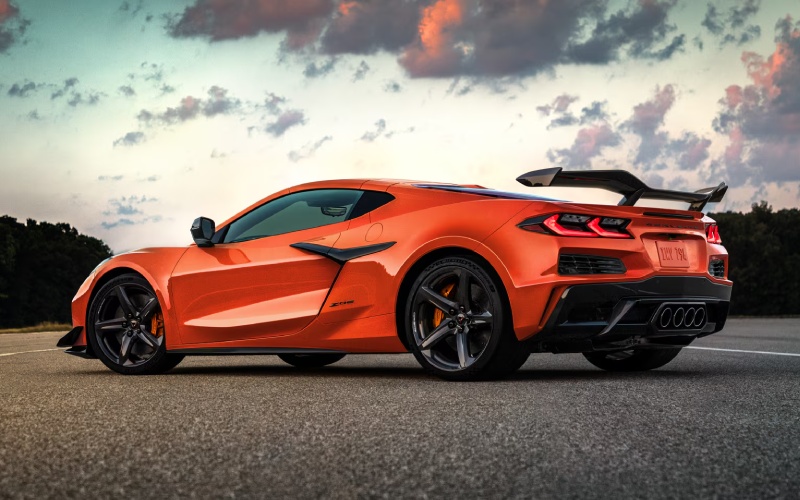
The 2026 Corvette turns data into confidence with a more immersive command center designed to help you make faster, smarter adjustments on track. Three updated screens—an enlarged 12.7-inch center display, an expanded 14-inch instrument cluster, and a new 6.6-inch Auxiliary Display—work together so you can set up, drive, review, and refine without leaving the car. The Auxiliary Display puts launch control setup and Performance Traction Management one touch away, while the Performance App—now available on all models—visualizes horsepower and torque over time so you can see how changes to your line or throttle affect results. For drivers who run HPDEs, time trials, or open lapping sessions at regional circuits, these enhancements reduce friction between sessions and help focus your attention where it matters most—your next lap.
Equally important, the reimagined Performance Data Recorder integrates directly into the vehicle, removing the need for a laptop or phone to review critical telemetry. You can access video and data in the paddock, evaluate braking points, compare throttle traces, and even see live G-force overlays before heading back out. Corvette’s Driver Mode Selector—Tour, Sport, Track, MyMode, and Z Mode—gives you a consistent baseline for tuning the car’s behavior, while available Performance Traction Management adds layers of adjustability, including a Pro mode for advanced drivers who want to move seamlessly between PTM-assisted and unassisted laps. Together, these updates shrink the time from insight to improvement, whether you are dialing in your first track day or shaving tenths in pursuit of a personal best.
- Auxiliary Display: Provides quick access to launch control setup and deeper control of track systems from a 6.6-inch touchscreen.
- Performance App: Shows real-time horsepower and torque graphs over selectable time intervals to visualize performance.
- Performance Data Recorder: Captures laps and telemetry in-vehicle so you can review video and data without external devices.
- Driver Mode Selector: Adapts throttle, suspension, and steering feel via Tour, Sport, Track, and customizable modes.
- Performance Traction Management: Adds driver-selectable modes and a dedicated switch to fine-tune grip on track.
For drivers planning their first event, preparation yields the biggest return. Begin with a baseline setup—tire pressures cold and hot, a comfortable seating and steering position, and your chosen mode (Track mode is a great starting point for many). After your session, use the Performance App to correlate how your throttle timing affected the torque curve in segments of the lap. Then watch the Performance Data Recorder video to check brake release points and steering smoothness. Repeatable steps like these help you isolate one change at a time rather than making multiple adjustments and muddying results. The 2026 Corvette makes this approach natural by grouping track-critical functions closer to the driver and simplifying interactions between sessions.
Seasoned drivers will appreciate how quickly Corvette’s interface lets you test hypotheses. Want to see whether a later apex through a medium-speed corner increases exit speed onto a straight? Compare segment times and G traces immediately. Curious if a small reduction in rear tire pressure improves traction on corner exit? Log the change and check the torque graph in the next run. With fewer obstacles between feedback and action, you can convert each session into measurable progress—vital for drivers chasing consistent pace as ambient temperatures change or rubber builds on the surface throughout the day. When you are ready to fine-tune further, available Performance Traction Management modes allow careful exploration of limits, so you can practice braking deeper or unwinding the wheel earlier while maintaining a safety net that scales with your growth.
If you prefer a deeper orientation or want help crafting a track-day routine, Chevrolet of Bucyrus can walk you through the displays and setup steps before you ever suit up. Our team is serving Marion, Mansfield, and Upper Sandusky with demos that show how the Performance App, Auxiliary Display, and Driver Mode Selector converge to support your goals, whether you are prepping for your first HPDE or upping your game for time trials. Arrive at the track with a plan for screens, modes, and review cadence, and you will get the most from every green flag.
Frequently Asked Questions:
Do I need special tools to use the Performance Data Recorder?
No additional devices are required for in-vehicle review—record, play back, and assess data right on the Corvette’s screens.
Which mode is best for a first track day?
Track mode is a strong baseline. As you gain confidence, explore MyMode or Z Mode to tailor responses, then fine-tune with Performance Traction Management if equipped.
How do I know if my changes are working?
Correlate the Performance App’s torque and power graphs with lap video and segment times. Look for smoother traces and more consistent speeds at corner exit.
Request more 2026 Chevrolet Corvette information
Connect with us


- March 2026
- February 2026
- January 2026
- December 2025
- November 2025
- October 2025
- September 2025
- August 2025
- July 2025
- June 2025
- May 2025
- April 2025
- March 2025
- February 2025
- January 2025
- May 2024
- April 2024
- March 2024
- February 2024
- January 2024
- December 2023
- November 2023
- October 2023
- September 2023
- August 2023
- July 2023
- June 2023
- May 2023
- April 2023
- March 2023
- February 2023
- January 2023
- December 2022
- November 2022
- October 2022
- September 2022
- August 2022
Archives
- Buick Dealership
- Chevrolet
- Chevrolet Blazer
- Chevrolet BOLT EUV
- Chevrolet Bolt EV
- Chevrolet Camaro
- Chevrolet Colorado
- Chevrolet Corvette
- Chevrolet Corvette Stingray
- Chevrolet Dealer
- Chevrolet Dealership
- Chevrolet Equinox
- Chevrolet Equinox EV
- Chevrolet Malibu
- Chevrolet Parts
- Chevrolet sales event
- Chevrolet Service
- Chevrolet Silverado 1500
- Chevrolet Silverado 2500 HD
- Chevrolet Silverado 3500 HD
- Chevrolet Silverado EV
- Chevrolet Silverado HD
- Chevrolet Suburban
- Chevrolet Tahoe
- Chevrolet Tires
- Chevrolet Trailblazer
- Chevrolet Traverse
- Chevrolet Trax
- Chevy sales event
- Genuine Chevrolet parts
- Uncategorized
- used GMC Sierra 1500
- used vehicles